Zedlin

Zedlin for teams

Your team's servers, run from your own server.

A Zedlin server is one Docker image on a host you control. It holds the credentials, keeps the connections, watches your servers around the clock and runs the work, so people get access without getting the passwords.

Access

Know who can do what.

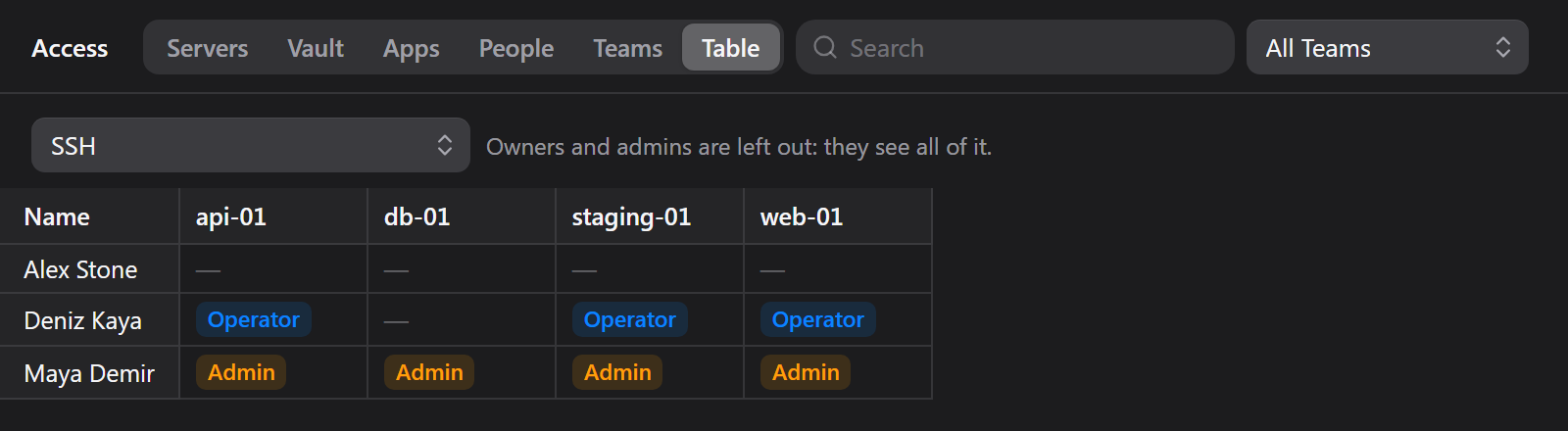
Put people in teams, give each team a level per module on the servers it needs, and read the result on one page: servers, vault items, apps and people, with who can reach them.

  • Viewer, Operator and Admin per module
  • Ready-made sets: Monitoring, Support, Developer, Server Admin
  • Server passwords and keys shown only with an explicit grant
  • Invite people with a QR code
Zedlin Access page showing each person's level on each server in one table

One door

Every session goes through you.

Members connect through the Zedlin server instead of carrying credentials on their devices. Each server opening is approved on their own approval device, and you can see what happened afterwards.

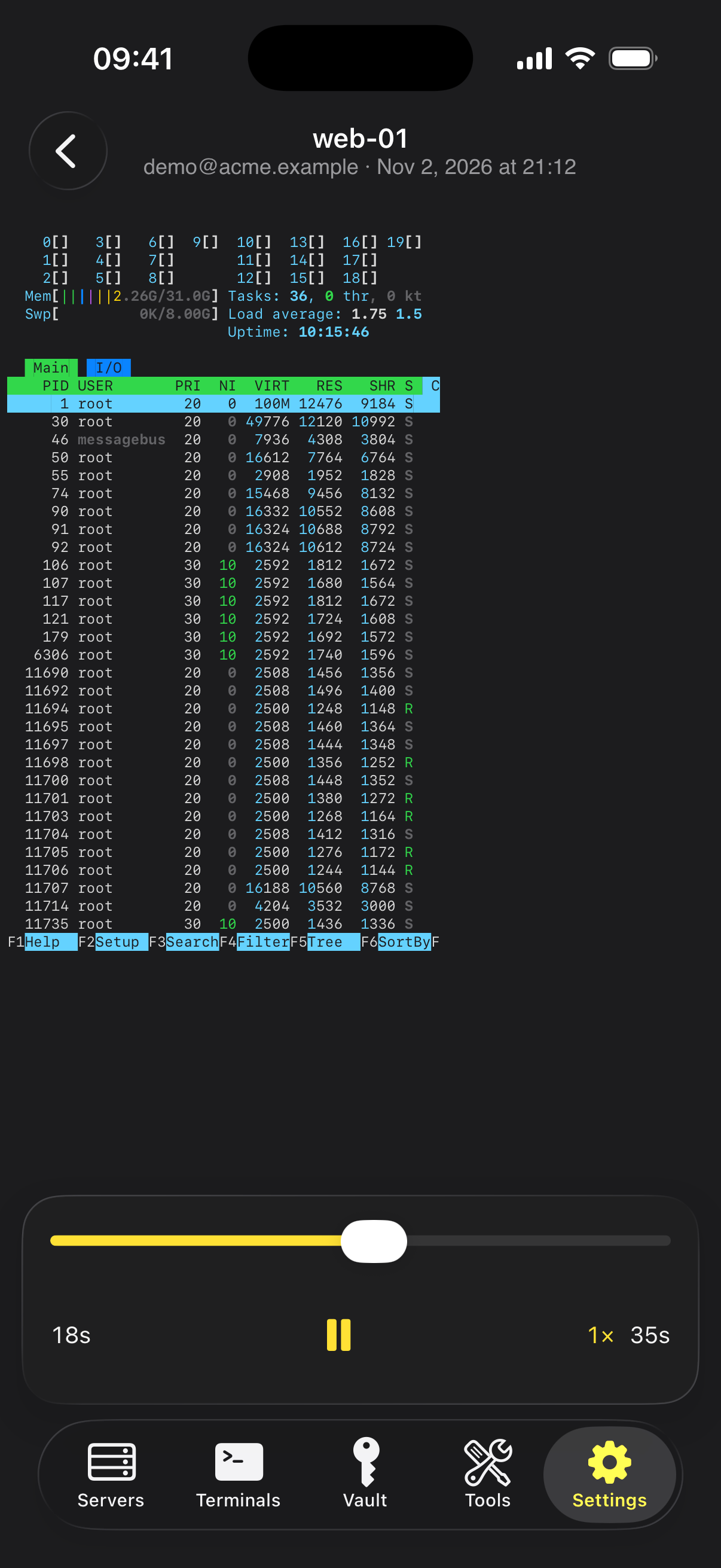
  • Replayable recordings of SSH and Remote Desktop sessions
  • An activity log of sign-ins, approvals and changes
  • Approvals are checked by the server, and bound to one device
  • Direct Connect for owners and admins when they need it
Zedlin on iPhone: replaying a recorded terminal session

Monitoring

Know before your users do.

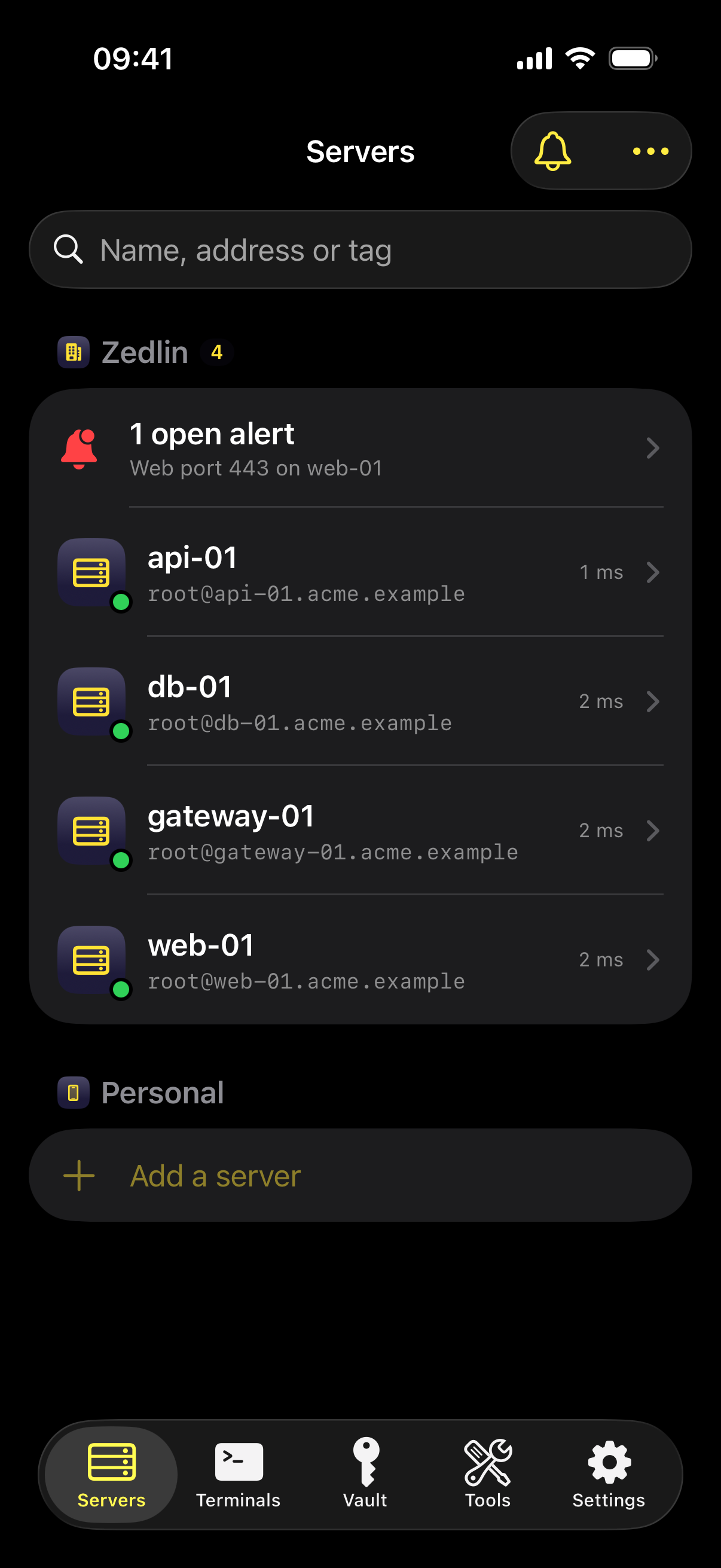
The server collects metrics and runs healthchecks even when every phone is in a pocket, and sends a push alert to the people who should hear about it.

  • Metrics history and top consumers for every host
  • HTTP, TLS certificate, TCP, command, container, service and disk checks
  • Notification rules: immediate, hourly, daily or off, per category and server
  • Alert text is sealed for the device, so our relay can't read it
Zedlin on iPhone: server list with an open alert

Fleet tools

Work on all your servers at once.

These pages look across every server, analyse what they find and let you act from there.

Team

Ansible

Keep playbooks on the server, run them from the app, and read the output of every host.

Team

Apps

Your own and third-party apps: versions, installs, command or playbook actions, checks and Sentry-style error tracking.

Team

File backups

Scheduled restic backups to S3, B2, SFTP and more. Browse snapshots, download and restore files.

Team

Central firewall

See every server's rules by address and port, and block or allow in one place across all, a tag or chosen servers.

Team

Connection logs

Who connected to which port, and whether it got through, with threat analysis and one-click blocking. Uses an optional collector.

Team

Port scans

Daily scans that show what is open from outside and what is listening, with alerts for changes.

Team

Private networks

Reach servers with no public address through a WireGuard gateway Zedlin sets up over SSH.

Team

Port forwarding

Expose a service on a closed network through a host of yours, limited to the addresses you allow.

Team

Device bridge

A server only your laptop can reach? Team jobs run through the device that starts them, and secrets still stay on the server.

Team

Run command

Run one command on many servers. The job runs on the Zedlin server, so closing the window doesn't stop it.

Getting started

Up and running in three steps.

  1. 1

    Run the server

    Start the Zedlin server image with Docker on a Linux host you control. Its database and time-series store come inside the image.

  2. 2

    Connect the app

    Add the server in the Zedlin app with its setup code. You become the owner, and your sign-in details are created and saved for you.

  3. 3

    Invite your team

    Invite people with a QR code, put them in teams and choose what each team may do. Nobody types or sees a server password.

Setting Zedlin up for a team?

Write to us with the size of your team and how you work today. We'll help you get the server running.